Present full radiology cases live at your events

Prepare a case-based session once, then run it from a web browser, in the room or online.


  • Collective Minds Teaching
Research-Pipeline-Monitor XDR
Research- Results table

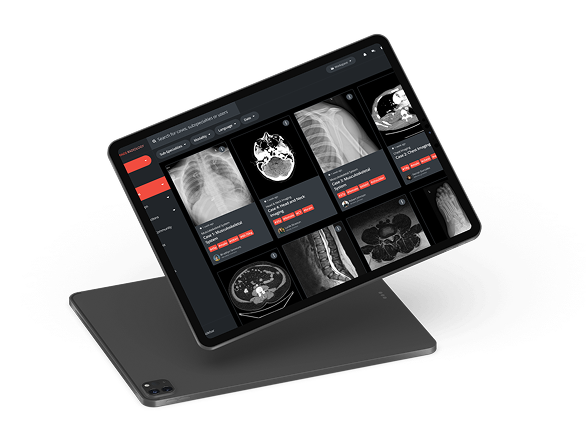
Slides cannot show a scan the way a radiologist reads it. Sessions with full DICOM cases usually mean cases de-identified by hand, files prepared for specific workstations and someone on site to make it work. With Collective Minds Teaching, your team builds the session and presents from a browser, and attendees open the same cases from a link.

Research-Pipeline-on tablet

How it works


  • Upload the cases. Drag full DICOM cases into the web uploader. They are pseudonymized on upload.
  • Organize them. Group cases into folders and add clinical background and the diagnosis.
  • Build a Seminar. Mix cases with your own slides and add polls.
  • Share one link. Password protected and time limited if you want, for in-person, virtual or hybrid sessions.
  • Present live. Use the presenter tools, reveal the diagnosis when you choose and collect answers with polls.

What changes

  • Prepare once, present anywhere. The same Seminar works in the room and online.
  • Pseudonymized on upload. No manual de-identification before every event.
  • Review after the event. You choose how long the link stays open.

Projects like this

A radiology college’s live imaging meeting

A national radiology college could not move its hands-on imaging meeting online without losing the live review of the same high-resolution cases.
What we did: lectures, cases and registration on one platform, with up to 400 radiologists opening large studies at the same time in one live session.
Result: participation grew about fourfold, to more than 1 200 participants.

Customer courses for an imaging manufacturer

A marketing team wanted a case library for customers and hands-on training courses.
What we did: full DICOM cases in a Teaching workspace.

Advisory boards for a pharma company

About 20 attendees per meeting, three to four in-person meetings and several remote ones a year.
What we did: one set of cases (under 100 a year) for in-person and remote attendees, with polls to collect feedback.

Hands-on workshops at a national radiology meeting

Seven interactive sessions, about 30 delegates each.
What we did: speakers uploaded 15 to 30 cases per workshop, and delegates opened them from a password-protected link.
Access during the event and for three weeks after.

Questions we hear

Do attendees need to install anything?

No. They open the link in a web browser.

How are patient details protected?

Cases are pseudonymized when they are uploaded, and the link can be password protected and time limited. Your data protection team should confirm the setup for your event.

Can we run the same session in the room and online?

Yes. One link works for in-person, virtual and hybrid sessions.

How long can attendees access the cases?

You decide. At one national meeting, delegates had access during the event and for three weeks after.

What does self-service mean?

Your team prepares and presents the session. A short onboarding gets new users started, support is available by email, and live support can be added for larger events.

Planning a workshop, an advisory board or a customer course?

Tell us about the session and we will show you how it would run.
ipad